
WoolBet casino App: Features, Download Steps and What to Expect on Mobile
More and more players from UK open a casino on their phone first and on a laptop second, if at all. The mobile app is built for exactly that habit. It gives you the full game lobby, the sportsbook, the cashier and your account settings in a format that fits a small screen and responds to a thumb rather than a mouse.
This page covers what the app can do, how to install it on Android and iPhone, which devices it runs on, the games people open most and how payments and support work inside it. Everything is in the English language, and balances are shown in USD, just as on the desktop site.
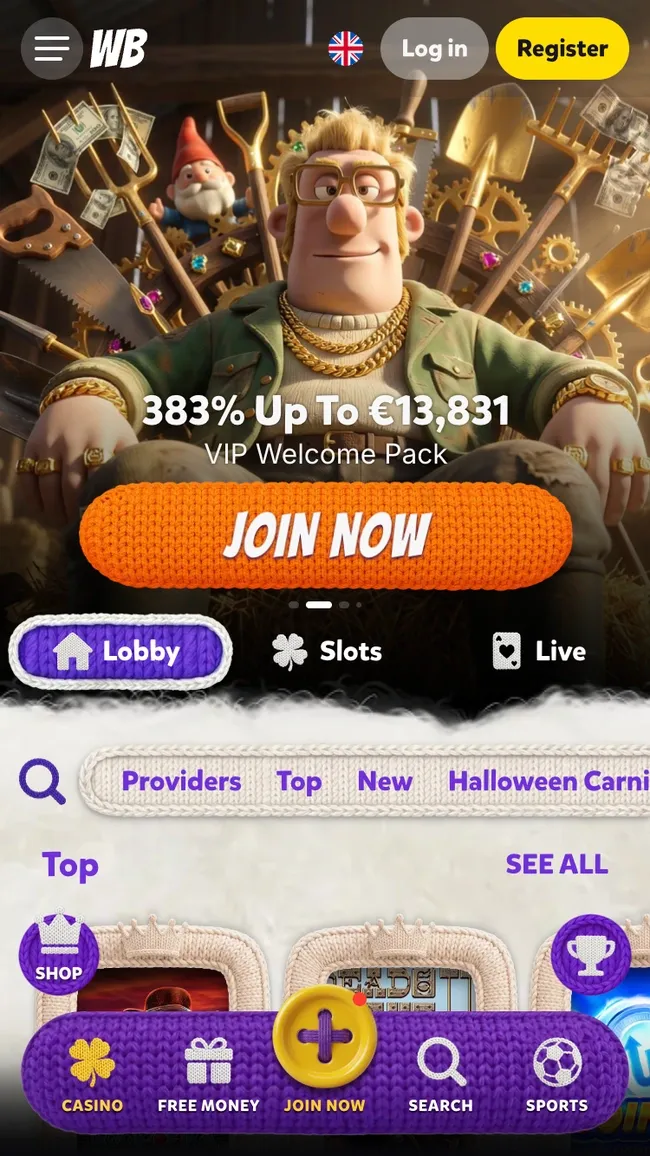
Main features of the WoolBet app on your phone
The app is not a cut down version of the site. It uses the same account, the same balance and the same bonuses, so anything you start on a laptop carries on in your pocket. What changes is the layout, which is rebuilt around a bottom menu and large buttons.
Here is what you can do from the app:
- Play slots, table games, crash games and live dealer tables.
- Place pre match and in play sports bets.
- Deposit and withdraw through the mobile cashier.
- Claim bonuses and follow wagering progress.
- Upload verification documents with your phone camera.
- Set deposit limits, reality checks and other safety tools.
- Chat with support without leaving the game.
Push notifications are optional. If you switch them on, the app can alert you to new promotions, the result of a bet or a completed withdrawal. You can turn them off at any time from your phone settings.
Speed is the main reason players prefer the app over a browser tab. The lobby loads faster after the first launch, since many images are stored on the device. Games open in full screen, and landscape mode works for slots and live tables. Wool Bet casino also keeps you signed in between sessions, so a quick spin does not start with typing a password.
How to download the WoolBet casino app for Android and iOS
Real money casino apps are not always available in public app stores, so the install starts on the official site. The process differs a little between Android and iPhone.
For Android, the app is installed from a file downloaded from the site:
- Open the site in Chrome or another browser on your phone.
- Go to the menu and tap the App or Download section.
- Tap Download for Android to get the APK file.
- If your phone asks, allow installs from this source in the security settings.
- Open the downloaded file and tap Install.
- Launch the app from your home screen and log in.
Only download the file from the official site. Copies posted elsewhere may be outdated or altered, and there is no way to tell from the file name. After installing, you can switch the unknown sources setting back off if you prefer.
On iPhone and iPad, the app works as a web app added to the home screen. Open the site in Safari, tap the Share icon, choose Add to Home Screen and confirm. A WoolBet betting and casino icon appears next to your other apps, and it opens in full screen without the browser bars. Updates happen automatically, since the web app always loads the latest version.
Registering and logging in through the Wool Bet app
New players can sign up directly in the app. Tap Register, fill in your email, password, name, date of birth and country, choose USD as the currency and confirm that you are over 18. A confirmation email follows, and after clicking the link the account is active.
If you already have an account, simply tap Log In and use the same email and password as on the desktop site. There is no separate mobile account. Your balance, bonuses, bet history and VIP level appear exactly as they do on a computer.
A few features make mobile logins easier:
- Stay signed in, so you do not have to type details every time.
- Fingerprint or face unlock on supported phones, where available.
- Password reset by email straight from the login screen.
The welcome offers are also open in the app right after registration. The casino pack of 303% up to $6,006 with 303 free spins, the sports welcome of 50% up to $50 and the VIP welcome of 383% up to $27,662 can all be claimed from the mobile cashier with a first qualifying deposit.
If a login fails in the app but works in a browser, the app may need an update. On Android, download the latest version from the site. On iPhone, remove the home screen icon and add it again from Safari. WoolBet online casino support can also reset the session from their side if needed.
System requirements your phone needs to run it
The app is light and runs on most phones from the last few years. Still, an older device with little memory may struggle with live dealer streams or graphics heavy slots. The table below shows the recommended minimum setup.
|
Platform |
Operating system |
Memory |
Free storage |
|---|---|---|---|
|
Android |
Android 7.0 or newer |
2 GB RAM |
About 100 MB |
|
iPhone |
iOS 14 or newer |
2 GB RAM |
About 50 MB |
|
iPad |
iPadOS 14 or newer |
2 GB RAM |
About 50 MB |
Not sure which version your phone runs? On Android, open Settings, then About Phone, and look for the Android version line. On iPhone, go to Settings, General, About. If your system is older than the minimum, check for a software update first. Most phones released in the last five or six years can be updated to a supported version for free, and the Wool Bet casino app will then install without any issues.
A stable connection matters as much as the device. Slots run fine on 4G, while live dealer tables are smoother on Wi-Fi or 5G. If the video freezes, lowering the stream quality in the table settings usually helps.
Battery use is normal for a gaming app. Long sessions with live video drain the battery faster than slots, so keep a charger nearby if you plan to sit at a blackjack table for an hour. Closing other apps in the background also helps older phones keep up.
Popular games WoolBet online casino players open on mobile
Most of the lobby works on mobile, and the search bar makes it easy to find a specific title. Some games are particularly popular on phones because they are simple to play with one hand and quick to load.
Players often start with these:
- Gates of Olympus and Sweet Bonanza, with tumbling reels and multipliers.
- Book of Dead, a classic with an expanding symbol during free spins.
- Big Bass Bonanza, a light fishing themed slot with collectable cash prizes.
- Wanted Dead or a Wild, a high volatility slot for bigger swings.
- Aviator, a crash game where rounds last only seconds.
Live dealer games are also popular on tablets and larger phones. Roulette, blackjack, baccarat and game shows such as wheel based titles stream in portrait or landscape. Betting chips and buttons are resized for touch, so mistakes are rare.
Before you start a new slot, open its info panel and check the RTP and volatility. This takes a few seconds and tells you what kind of ride to expect. High volatility games pay less often but can pay bigger, while low volatility slots give smaller, more frequent wins. At casino WoolBet, this information is shown for most titles inside the game itself.
Funding your account from the WoolBet app cashier
The mobile cashier offers the same payment methods as the desktop site. Mobile wallets are especially handy here, as they let you confirm a deposit with a fingerprint or a glance at the screen.
Available deposit methods include:
- Apple Pay on iPhone and Google Pay on Android.
- Visa and Mastercard cards.
- Revolut.
- Skrill.
- Bitcoin, Litecoin, Ethereum, Tether and other cryptocurrencies.
Card and wallet deposits are usually credited within minutes. Crypto transfers depend on the network and may take a little longer to confirm. On a phone, copy the wallet address with the copy button rather than typing it, since a single wrong character sends the coins to the wrong place.
One deposit covers everything. The same balance is used for slots, live tables and WoolBet betting, so there is no need to move money between wallets when you switch from a football match to a quick round of roulette. Your transaction history, with the date, amount, method and status of each payment, is available in the cashier and can be filtered by type.
Deposit limits can also be set straight from the app. Daily, weekly and monthly caps are available, and lowering a limit takes effect at once. Raising one usually comes with a short waiting period, which gives you time to think it over.
If you want a bonus with your deposit, select it before you confirm the payment. Some methods may not qualify for promotions, so check the bonus terms first. Withdrawals are requested from the same cashier, and the money normally goes back to the method you used to deposit.
Technical support when the app misbehaves
Apps sometimes freeze, crash or refuse to load a game. Most of these problems have quick fixes you can try yourself before contacting anyone. Start with the simplest steps and work down the list.
- Close the app completely and open it again.
- Check that your internet connection is stable.
- Update the app to the latest version from the official site.
- Clear the app cache in your phone settings on Android.
- Restart the phone if the issue continues.
If none of that works, live chat is available inside the app around the clock, with English support from real agents. Describe the problem, mention your phone model and operating system version, and include a screenshot if possible. These details help the team spot the issue faster.
For account specific problems, such as a deposit that has not appeared or a game round that ended unexpectedly, support can look up the transaction or round ID. WoolBet casino online keeps a full history of every bet and payment, so these questions can almost always be resolved.
Questions about the WoolBet casino mobile app
These are the questions UK players ask most about the app. If yours is missing, the WoolBet support chat inside the app can help.
Is the app free to download?
Yes. There is no charge for downloading or installing the app on Android or iPhone.
Why is the app not in the app stores?
Real money casino apps are restricted in some regions. The Android version is downloaded from the official site, and iPhone users add the web app from Safari.
Do I need a new account for the app?
No. Use the same email and password as on the website.
Can I claim bonuses in the app?
Yes. All welcome offers and ongoing promotions can be claimed from the mobile cashier.
Does the app work on older phones?
Most phones running Android 7.0 or iOS 14 and newer can use it. Very old devices may struggle with live dealer games.
Is my data safe in the app?
The app uses the same encryption as the website, and payment details are processed through secure providers.
How do I update the app?
On Android, download the new version from the site. On iPhone, the web app updates itself automatically.